


Getting started in the community is simple. One of the best ways to connect with other members is by completing your profile. Add a profile picture, banner, short introduction, areas of expertise, interests and relevant tags to help others discover your work and connect with you.
To set up your profile:
- Click on your avatar in the top right of your screen.
- Click on 'My Profile'.
- In your profile, go to the 'Information' tab to check how it looks.
- Click on 'Edit Your Profile'.
- Add a banner image if you don't have one yet and crop it accordingly.
- Add your profile image.
- Fill in the fields that make the most sense for you and for the community, such as Function, Organisation, Interests, Expertise and a self-introduction.
- Check out the taxonomy of the community and add relevant tags for yourself.
- Scroll down to the bottom of the page and save your profile.
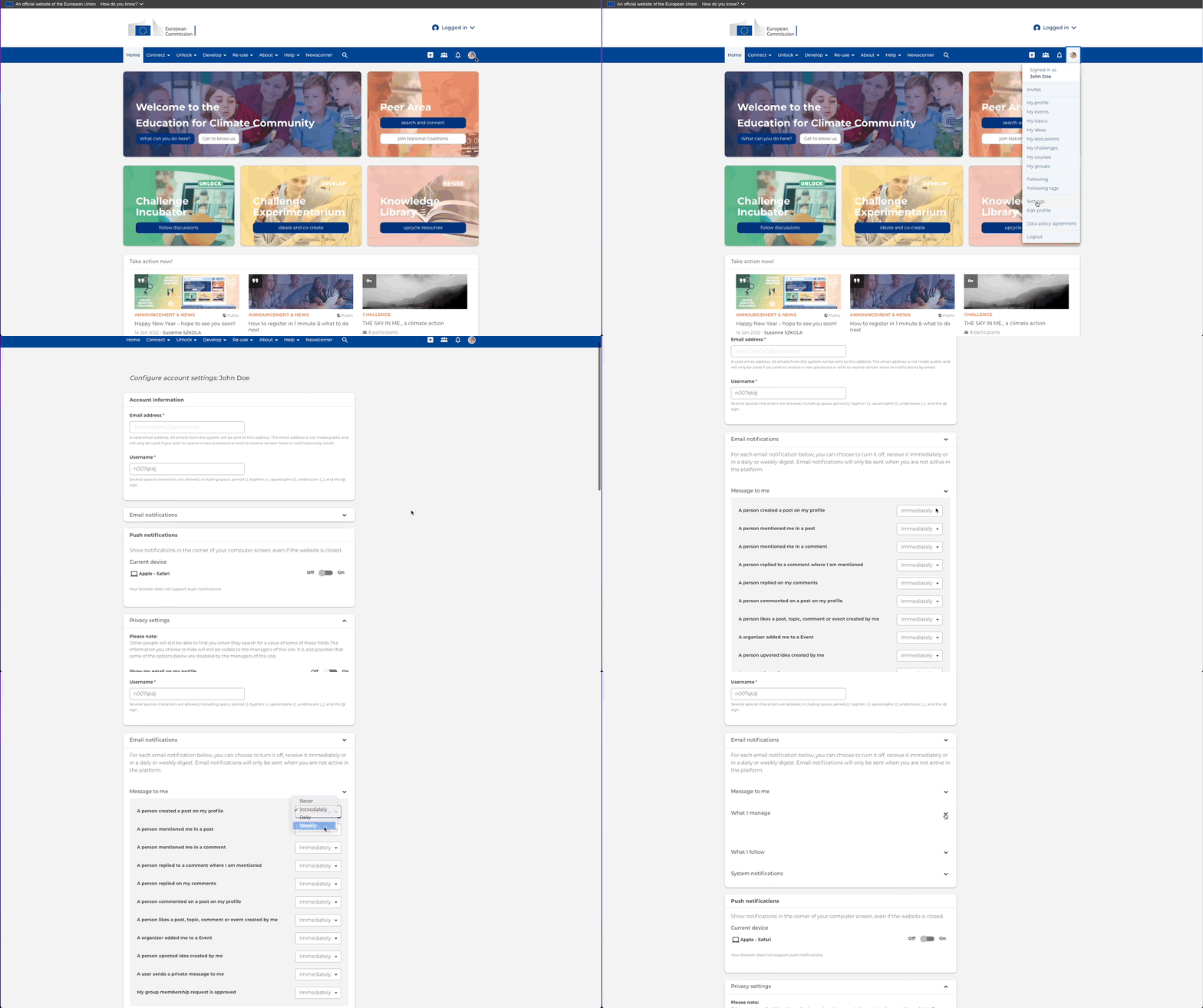
Once you have set up your profile, you will be able to receive email notifications when someone tags you in a comment or when a person creates a post, event or topic in a group you have joined.
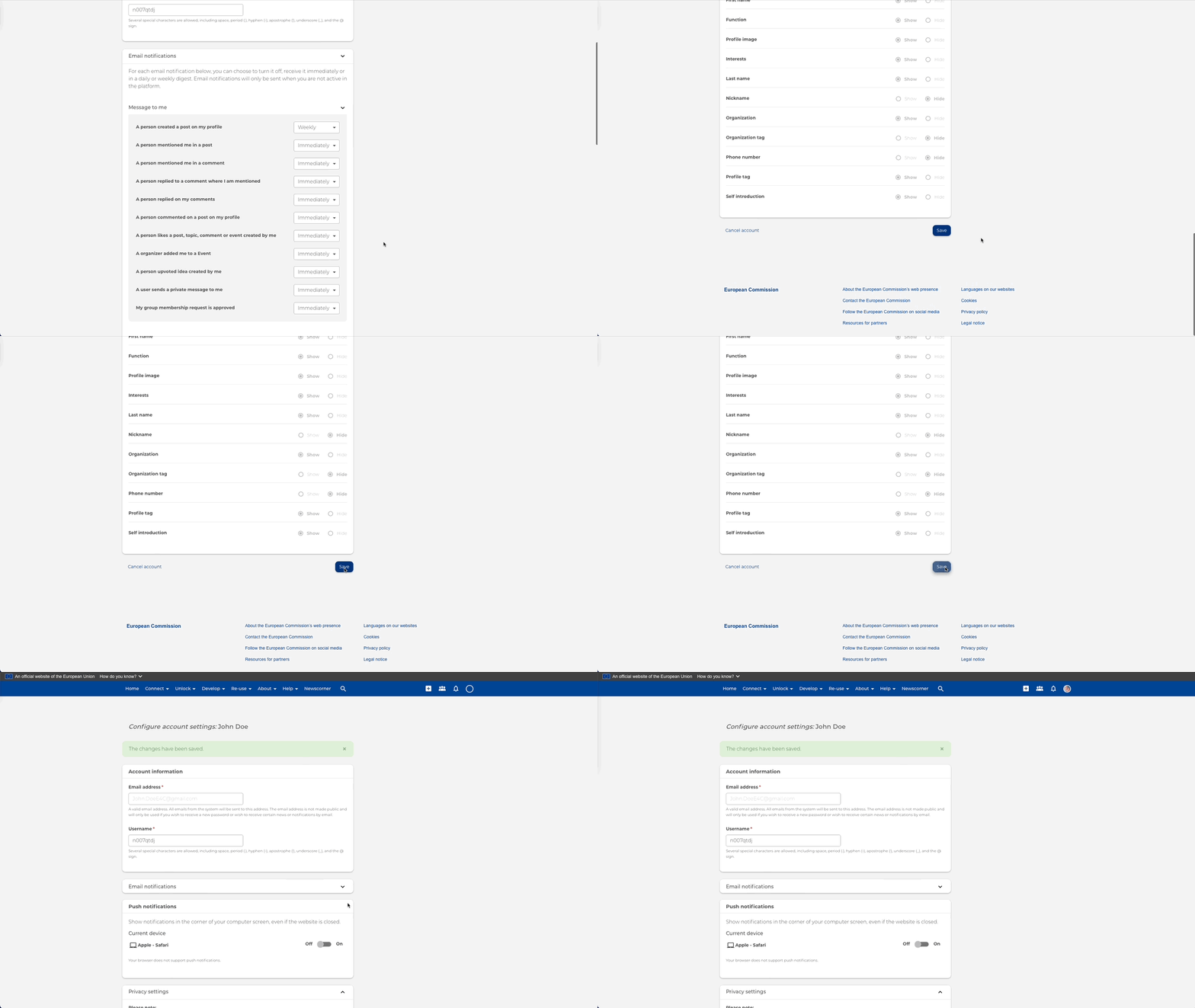
To manage your notifications, go to your profile settings and adjust them accordingly. Check out the tutorial below:
Also, don't forget to save!
You can also take the initiative and become part of groups in a variety of roles we have to offer. Read more about our community roles.
Update your profile
You can update your profile at any time to keep your information current, add new areas of expertise or interests, and make it easier for other community members to find and connect with you.